If you only do one thing for your local marketing this month, make it this: fix your Google Business Profile. It’s the listing that shows up in Google Maps and the map pack, with your hours, reviews, photos and that all-important “Call” button. It’s free, and for most local businesses it brings in more calls than the website does.
Yet when we audit businesses around Boynton Beach and Palm Beach County, we see the same problems again and again: the wrong category, missing services, old hours and photos from five years ago. This guide walks you through Google Business Profile optimization in 15 clear steps, in the order that matters most.
The short version
- Category first: your primary category is the #1 Google Maps ranking factor.
- Be complete: services, hours, service area, photos, description and links.
- Be accurate: real name, real hours, the same phone number everywhere.
- Stay active: photos, posts and review replies every month.
Why Your Google Business Profile Matters So Much
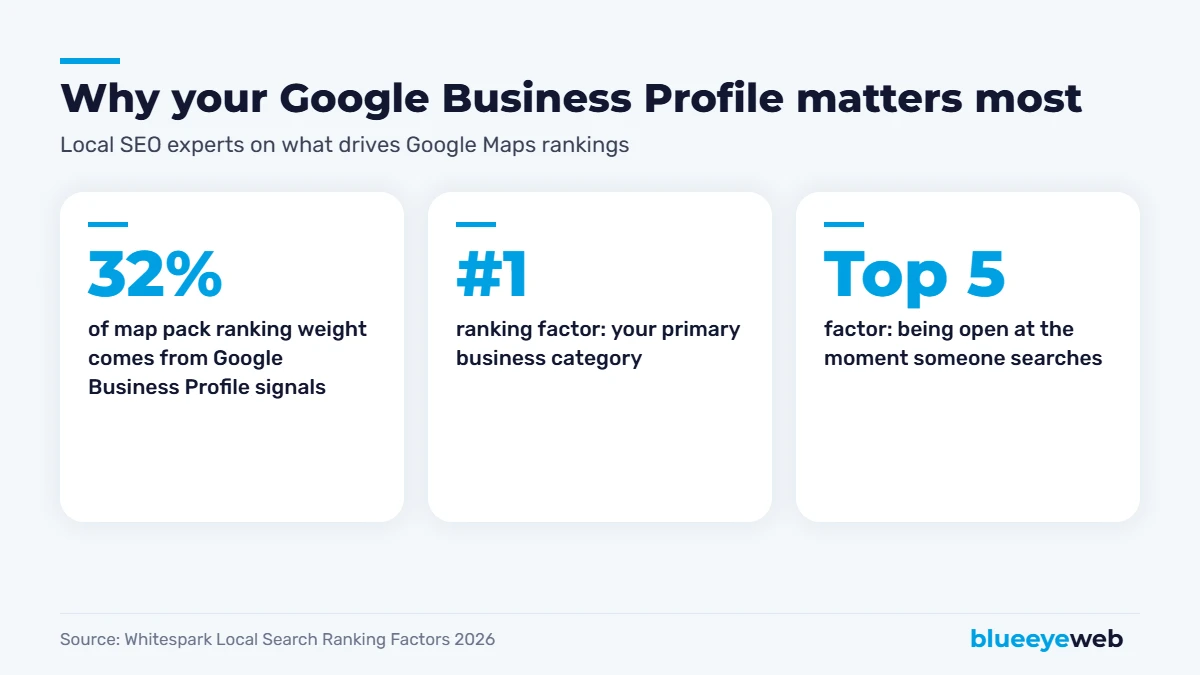
Google itself says local results are based mainly on relevance, distance and prominence. Your Google Business Profile feeds all three. Whitespark’s 2026 Local Search Ranking Factors survey of 47 local SEO experts puts profile signals at about 32% of map pack ranking weight, the single biggest category. The top factor overall is your primary category, followed by how close you are to the searcher. Being open at the time of the search now ranks in the top five.
And customers decide fast. BrightLocal’s 2026 consumer research found 72% of people look at three or fewer businesses before choosing, and 75% decide in under 30 minutes. Your profile is often the first, and only, thing they see.
15 Steps to a Fully Optimized Google Business Profile
We’ve split the steps into three parts: setup and basics, content and details, and activity and trust. Work through them in order. The first five steps carry the most weight, so don’t skip ahead to posts and photos before your category and hours are right.
Setup and Basics (Steps 1-5)
1. Claim and verify your profile
Go to business.google.com and search for your business. If it already exists, request access; if not, create it. Verification is often done by video now, so have your storefront, signage or work vehicle and tools ready to show. Use an email address you’ll control for years, not an employee’s personal account.
2. Choose the right primary category
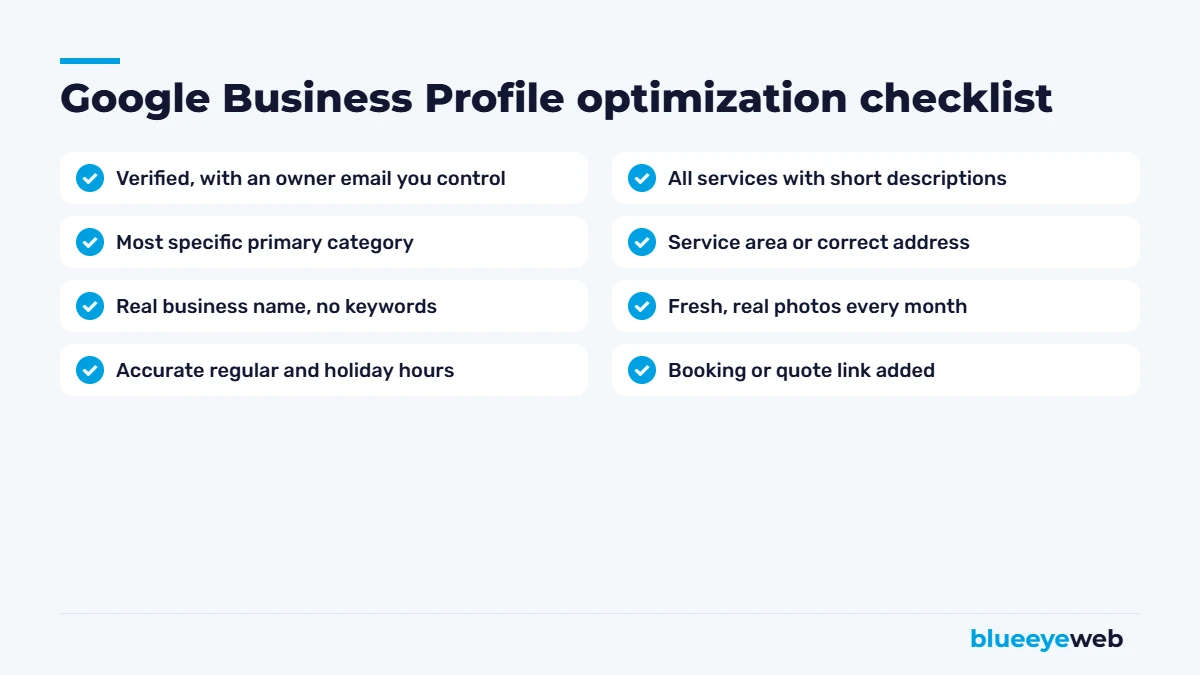
This is the most important setting in your whole Google Business Profile. Be as specific as possible: “Personal injury attorney” instead of “Lawyer,” “Roofing contractor” instead of “Contractor.” Look at the top three competitors in the map pack for your main search and see which categories they use. Then add a few secondary categories, but only for services you really offer.
3. Use your real business name
Use the name on your signage and legal documents. Adding keywords like “Best Plumber Boynton Beach” to your name breaks Google’s guidelines and can get your profile suspended. Whitespark’s survey does list keywords in the business name as a ranking factor, which is exactly why so many businesses get tempted, and why so many get reported by competitors.
4. Set your address or service area correctly
If customers visit you, show your address. If you go to them (contractors, cleaners, mobile services), hide your address and set a service area with the cities and areas you actually cover, like Boynton Beach, Delray Beach and Boca Raton.
5. Add accurate hours, including holiday hours
Being open when someone searches affects your ranking, and wrong hours lead to angry reviews. Set special hours before every holiday. If you take emergency calls, make sure your hours reflect that.
Content and Details (Steps 6-10)
6. List every service
Add each service you offer, with a short, plain description and price ranges where it makes sense. This helps your Google Business Profile show up for more specific searches.
7. Write a clear business description
You get up to 750 characters. Say what you do, who you serve and where, in plain language. Mention your main services and areas naturally. No links, no ALL CAPS, no keyword stuffing.
8. Add booking, quote or appointment links
If you take appointments or quote requests online, add the link so people can act straight from the listing. Point it to a fast, mobile-friendly page.
9. Choose your attributes
Attributes like “women-owned,” “wheelchair accessible,” “online appointments” or “free estimates” help customers decide and can match specific searches.
10. Upload real photos, and keep adding them
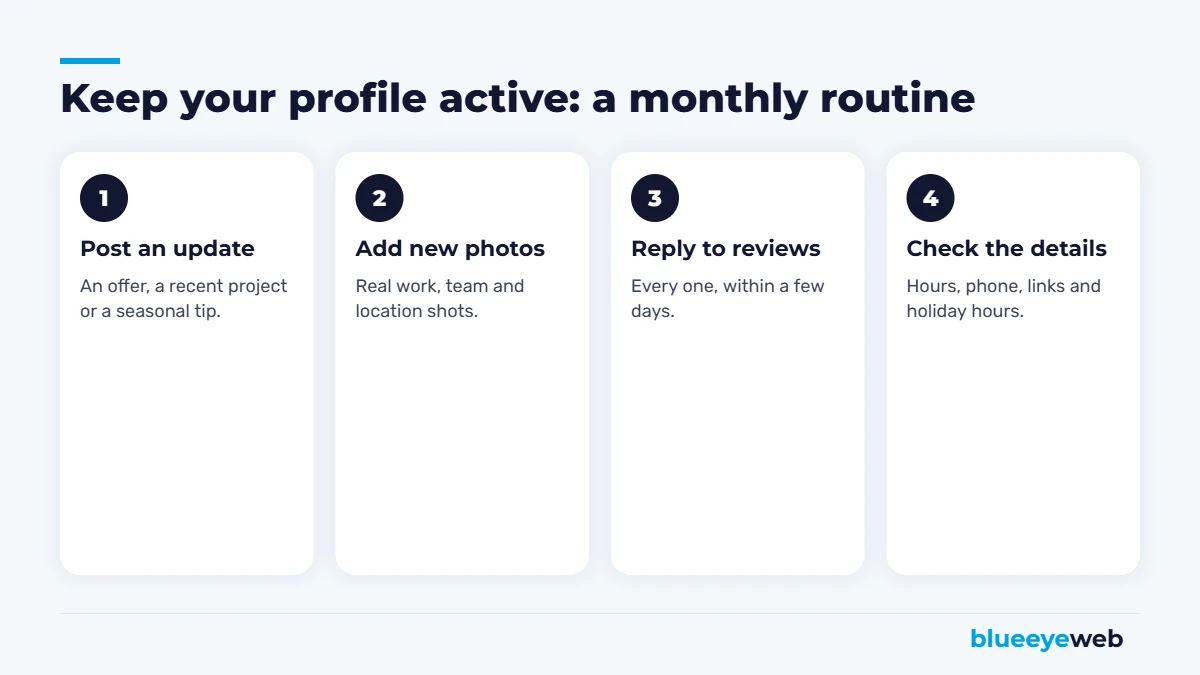
Add your logo, a cover photo, your team, your work, your vehicles and your location. Real photos build trust; stock photos don’t. Aim to add a few new photos every month.
Activity and Trust (Steps 11-15)
11. Post updates regularly
Google Business Profile posts let you share offers, events, recent projects and news. They don’t last forever in the listing, so post at least once or twice a month. An active profile looks like an active business.
12. Get a steady stream of reviews
Reviews are the second-biggest ranking signal. Ask every customer, make it one tap with your direct review link, and reply to every review. Our guide on how to get more Google reviews includes ready-to-use templates.
13. Reply to every review
Thank happy customers by name and handle complaints calmly and publicly. Replies show future customers how you treat people.
14. Keep your details consistent everywhere
Your name, address, phone and website should match exactly on your Google Business Profile, website, Apple Maps, Bing, Yelp and other directories. Inconsistent details confuse Google and AI tools alike.
15. Track your performance
Open the Performance report in your profile every month. Watch calls, direction requests, website clicks and the searches people used to find you. Those numbers tell you what’s working far better than rankings alone.
Link your profile to a strong page. The website link on your Google Business Profile should point to a fast page that matches your main service and location, not a slow homepage with a slider. Google cross-checks the two, so a strong website helps your profile rank.
Google Business Profile Post Ideas
Stuck on what to post? Here are ideas that work for almost any local business:
- A recent project with a before-and-after photo and the town it was in
- A seasonal tip, like “Get your AC checked before summer in South Florida”
- A limited-time offer or free estimate
- A new team member or certification
- Answers to a question customers ask you all the time
- Holiday hours and closures
Storefront vs Service-Area Business: What Changes?
Most Google Business Profile advice assumes customers walk through your door. Plenty of local businesses don’t work that way, and a few settings change depending on which type you are.
| Storefront business | Service-area business | |
|---|---|---|
| Examples | Restaurants, salons, dental offices, shops | Plumbers, roofers, cleaners, mobile detailers |
| Address | Show it | Hide it, set a service area |
| What drives choice | Photos of the space, hours, menu or services | Reviews, response time, photos of finished work |
| Key action | Directions and calls | Calls and quote requests |
| Photo focus | Interior, exterior, team, products | Before-and-after work, vehicles, team on the job |
If you’re a hybrid, like a showroom that also does on-site installs, you can show your address and set a service area at the same time.
A Real-World Example: What Changes After 90 Days
Picture a small HVAC company in Boynton Beach with a Google Business Profile that was set up years ago and forgotten. The category says “Contractor,” hours are wrong on weekends, there are 11 reviews (the latest from 2024), and the photos are mostly the logo.
Here’s what a typical 90-day cleanup looks like: in week one, the primary category changes to “HVAC contractor,” with “Air conditioning repair service” as a secondary. Services get listed with short descriptions, hours get fixed, and the service area is set to the towns they actually cover. In weeks two to four, they upload 25 real photos and start texting every customer the review link. From month two, they post twice a month and reply to every review.
Results vary by market, but this is the pattern we see: more searches showing the profile, more calls and direction requests in the Performance report, and a steady climb in the map pack for “AC repair near me” searches in their area. Nothing fancy, just a Google Business Profile that’s complete, accurate and active. The same approach, combined with website and content work, is what helped Iconic Roofing & Exteriors grow Google clicks 159% in a year.
Who Should Manage Your Google Business Profile?
Keep yourself as the primary owner, always. Then add your marketing person or agency as a manager, not an owner. That way, if you ever change agencies or an employee leaves, you never lose access to the listing you’ve spent years building. It’s a two-minute setting that saves a lot of pain later.
Mistakes That Hurt Your Google Business Profile
| Mistake | What happens | Fix |
|---|---|---|
| Keywords in the business name | Risk of suspension, often after a competitor reports you | Use your real name |
| Vague primary category | You miss the searches you should win | Pick the most specific category |
| Wrong or missing holiday hours | Lost rankings and frustrated customers | Set special hours before each holiday |
| Virtual office or PO box address | Verification problems or suspension | Use a real location or a service area |
| No activity for months | Looks abandoned to customers | Monthly photos, posts and replies |
| Different phone numbers online | Confuses Google and AI tools | One consistent number everywhere |
What to Do If Your Profile Gets Suspended
It happens, sometimes for no clear reason. Don’t create a new profile; that usually makes things worse. Instead, fix anything that might break the guidelines (name, address, category), gather proof that your business is real (business license, utility bill, photos of signage), and submit a reinstatement request through Google’s Business Profile help center. Be patient, since reviews can take a while.
Your Google Business Profile and AI Search
Your profile doesn’t just feed Google Maps anymore. BrightLocal found 45% of consumers now use AI tools like ChatGPT to find local businesses, and those tools lean heavily on business profile data, categories, hours and reviews. A complete, accurate Google Business Profile makes your business easier for AI assistants to understand and recommend. Our guide on showing up in ChatGPT and AI search covers the rest.
How Long Does It Take to See Results?
Fixing your category, hours and services can move map rankings within a few weeks. Reviews, photos and posts build up over months. For the bigger picture, including your website and listings, use our local SEO checklist and our guide on how to get your business on Google.
Prefer to have someone handle it? Google Business Profile setup and management is part of our local SEO service, with monthly reports on calls, direction requests and website clicks.
Is your Google Business Profile holding you back?
We’ll review your profile against all 15 steps, compare it with your top local competitors and show you what to fix first. Free, no obligation.
Frequently Asked Questions
Choose the most specific primary category, use your real business name, set accurate hours and a correct address or service area, list every service, write a clear description, add real photos, post updates monthly, get steady reviews and reply to all of them.
Your primary business category. Whitespark’s 2026 Local Search Ranking Factors survey ranks it as the number one factor for Google Maps and map pack visibility.
Yes. Creating and managing a Google Business Profile is free. You only need to verify that you own or manage the business.
No. Your profile name should match your real business name. Adding keywords or city names breaks Google’s guidelines and can lead to a suspension.
At least once or twice a month. Regular posts, new photos and review replies keep your profile active and up to date.
Yes, ideally. Google cross-checks your profile against your website, and on-page signals are a meaningful part of local rankings. A strong website also converts more of the people who click through.
Sources
- Whitespark: 2026 Local Search Ranking Factors
- BrightLocal: Consumer Search Behavior 2026 and Local Consumer Review Survey 2026
- Google Business Profile Help: guidelines for representing your business and how local ranking works