A website redesign can be the best marketing decision you make all year, or the one that quietly wipes out years of Google rankings. We’ve seen both. The difference almost never comes down to design. It comes down to planning, especially around SEO.
In this guide, we’ll help you figure out whether you actually need a website redesign, what it costs in 2026, and exactly how to do it without losing the traffic you’ve already earned. It’s the same process we use for clients in Boynton Beach and across the US.
The short version
- Redesign when your site is slow, dated, hard to update or not bringing in leads.
- Protect your SEO by keeping or redirecting every URL, keeping content that ranks and launching carefully.
- Benchmark first so you can prove the redesign worked.
- Watch closely for 90 days after launch and fix problems fast.
Do You Actually Need a Website Redesign?
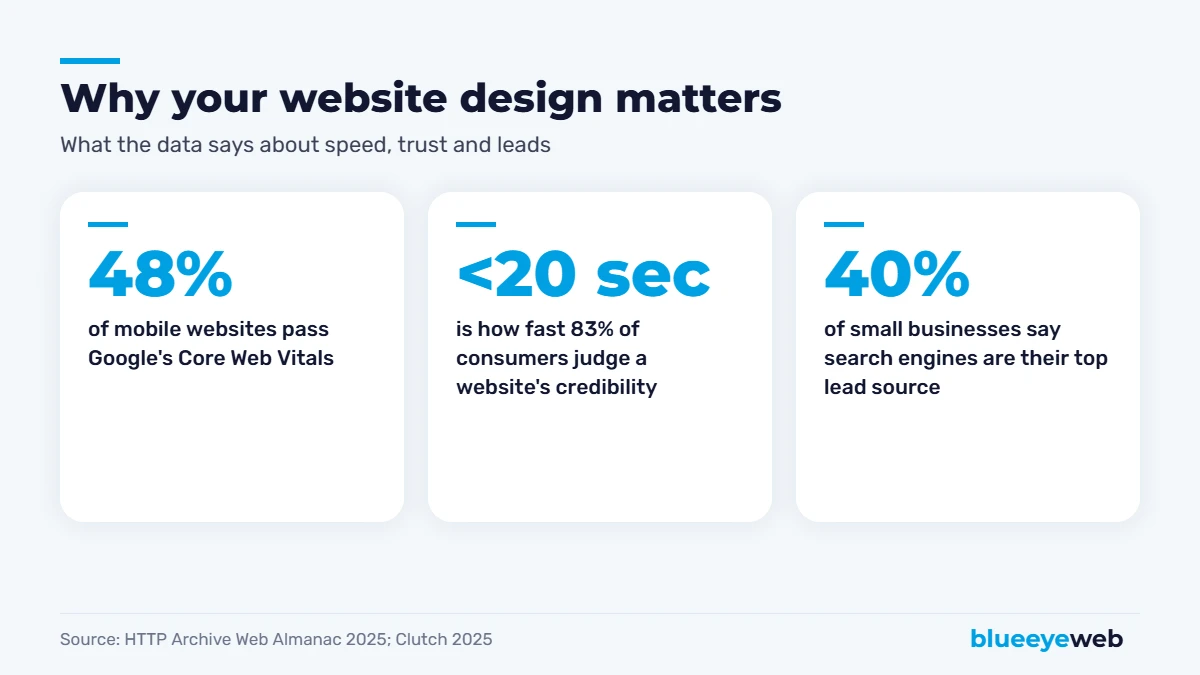
First impressions happen fast. A Clutch survey found 83% of consumers judge a website’s credibility in under 20 seconds. And speed is still a weak spot for most of the web: the HTTP Archive’s 2025 Web Almanac found only 48% of mobile websites pass Google’s Core Web Vitals. If your site is slow or looks dated, visitors leave before they ever read about your services.
That doesn’t mean everyone needs a full website redesign. Sometimes a refresh, like new photos, faster hosting, better calls to action and a few rewritten pages, gets you most of the benefit for a fraction of the cost. Here’s how to tell the difference.
10 Signs You Need a Website Redesign
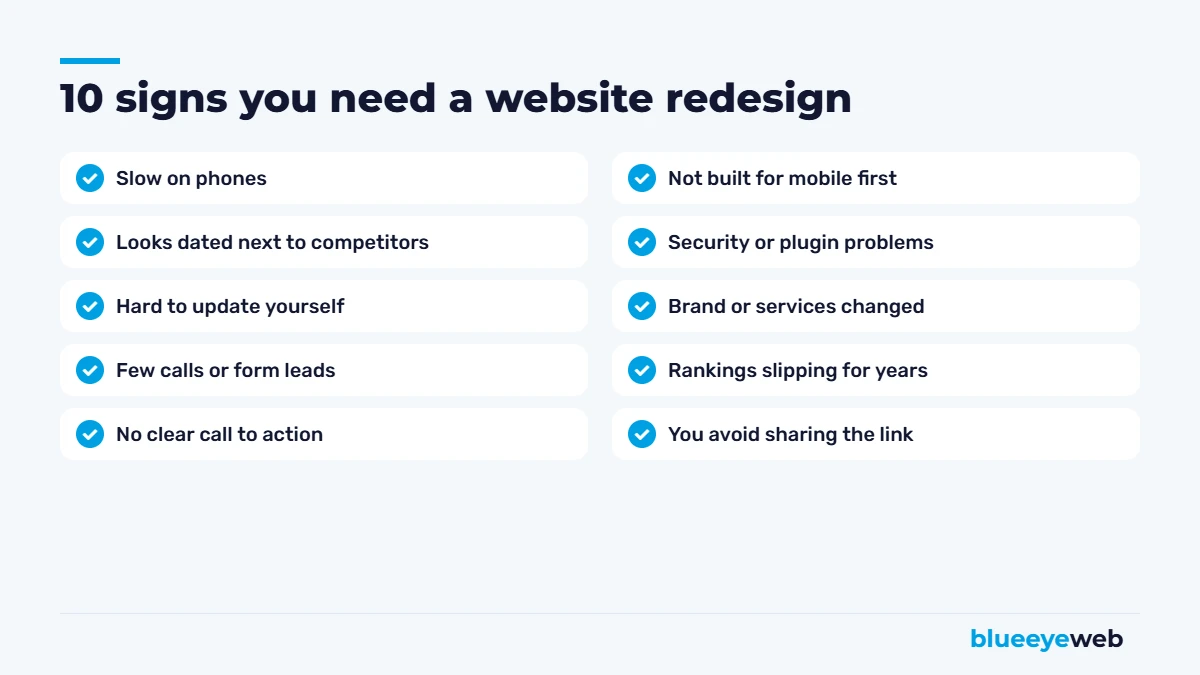
1. It’s slow on phones
If pages take more than a few seconds to load on mobile, you’re losing visitors and rankings. Run your homepage through Google’s PageSpeed Insights and look at the mobile score.
2. It looks dated next to your competitors
Pull up your top three local competitors side by side with your site. If yours looks five years older, customers notice too.
3. You can’t update it yourself
If changing a price or adding a photo means emailing a developer and waiting a week, your site is working against you.
4. It doesn’t bring in leads
Traffic without calls, forms or bookings usually means unclear messaging, weak calls to action or a confusing layout.
5. There’s no clear next step
Every page should make it obvious what to do next: call, book, request a quote or buy.
6. It wasn’t built mobile-first
Most local searches happen on phones. A site designed for desktop and squeezed onto mobile rarely converts well.
7. You keep having security or plugin problems
Old themes and abandoned plugins are a security risk and a constant source of breakage.
8. Your business has changed
New services, new locations, a new brand or a new target customer all deserve a website that reflects them.
9. Your rankings have slipped for a long time
A long, steady decline often points to technical problems, thin content or a structure that no longer matches how people search.
10. You avoid sharing your own website
If you’d rather send people to your Facebook page than your website, that’s a clear sign.
Three or more of these? A website redesign is probably worth it. One or two? A targeted refresh might be enough. Our website redesign service starts with a free audit that tells you which one you need.
Website Redesign vs Refresh: What’s the Difference?
| Refresh | Full website redesign | |
|---|---|---|
| What changes | Photos, colors, some text, speed, calls to action | Structure, design, content, often the platform |
| SEO risk | Low | Medium to high if not planned |
| Typical timeline | Days to a few weeks | A few weeks to a few months |
| Best when | The foundation is solid | The site is slow, outdated or hard to manage |
How Much Does a Website Redesign Cost?
A website redesign usually costs about the same as a new site of the same size, because most of the work is rebuilding. For small businesses, that’s typically $1,500 to $8,000+. At BlueEyeWeb, redesigns follow our standard packages: $1,500 for a small site, $3,000 for our most popular package with a blog and advanced SEO, and $8,000+ for larger sites and online stores. The SEO protection work described below is included, not an add-on. Our full breakdown is in how much a website costs in 2026.
How to Do a Website Redesign Without Losing SEO: 12 Steps
This is the part most redesigns get wrong. Google ranks specific pages at specific addresses. Change those addresses, delete content that ranks, or launch with technical errors, and rankings can drop overnight. Follow these steps and your website redesign should hold or improve your rankings.
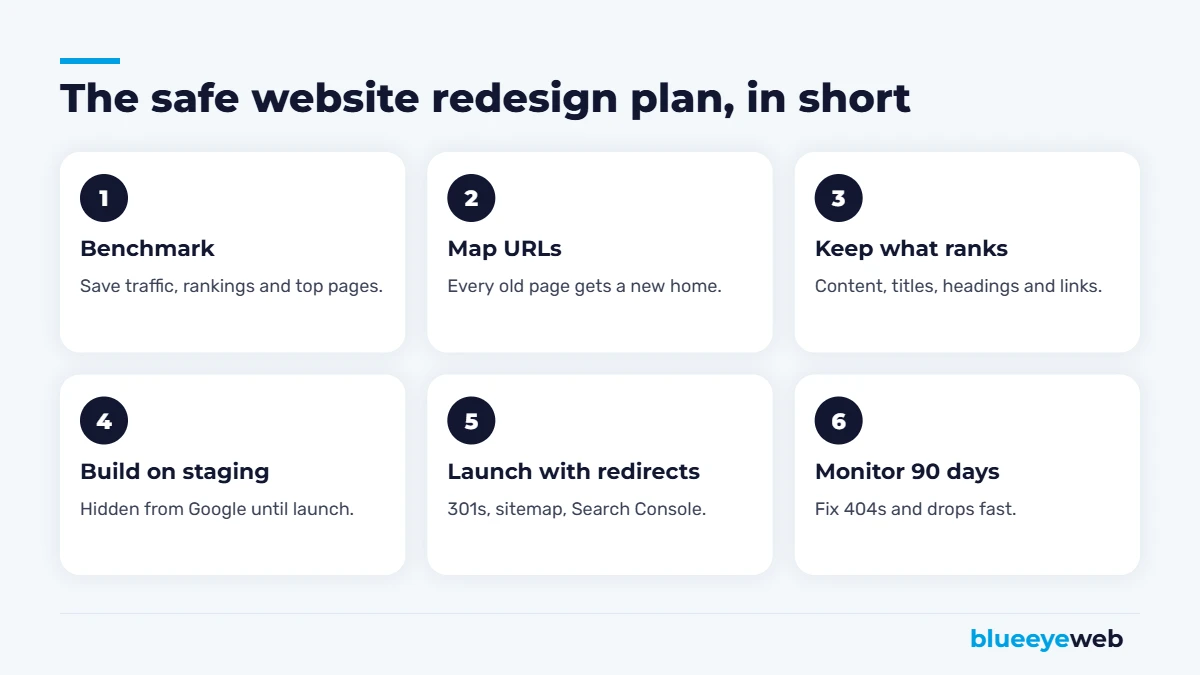
- Benchmark everything. Export your top pages, traffic, conversions and rankings from Google Search Console and Google Analytics. Save a full crawl of the current site. You’ll need this to compare after launch.
- Find the pages that matter most. Usually a small number of pages bring most of your traffic and leads. Treat those with extra care.
- Keep URLs where you can. The safest URL is the one that doesn’t change. Only change URLs when there’s a real benefit.
- Build a redirect map. Every old URL that changes gets a 301 redirect to the most relevant new page. Not to the homepage, to the closest match.
- Keep content that ranks. You can improve it, but don’t delete or drastically shorten pages that bring traffic.
- Carry over titles, meta descriptions and headings for important pages, then improve them carefully.
- Preserve internal links. Make sure important pages are still linked from menus and related pages.
- Build on a staging site hidden from Google, so half-finished pages don’t get indexed.
- Test before launch: mobile layout, speed, forms, phone links, schema markup and every redirect.
- Launch, then remove the staging block. Forgetting to let Google index the new site is a surprisingly common and painful mistake.
- Submit the new sitemap in Google Search Console and request indexing for key pages.
- Monitor for 90 days. Watch for 404 errors, ranking drops and lost conversions, and fix them fast.
The #1 website redesign mistake: launching without redirects. Every old URL that now shows a 404 page throws away the rankings and links it had. One afternoon of redirect work can save months of lost traffic.
Website Redesign SEO Checklist
Before launch
- Benchmark traffic, rankings and conversions saved
- Full list of old URLs, with a redirect map
- Top pages’ content, titles and headings kept or improved
- Staging site blocked from search engines
- Mobile speed tested
- Forms, phone links and tracking tested
After launch
- Search engine block removed
- Redirects spot-checked
- New sitemap submitted in Search Console
- Google Analytics and conversion tracking working
- Google Business Profile website link updated if needed
- 404 errors monitored weekly for the first three months
What If You’re Changing Platforms?
Moving from Wix, Squarespace or an old custom site to WordPress is one of the most common reasons for a website redesign. The same rules apply, with extra attention to URLs, since every platform structures them differently. Map every old address to its new one before you switch. If you’re still choosing a platform, read WordPress vs Wix vs Squarespace.
If you’re also changing your domain name, the risk goes up. Use 301 redirects from every old URL to the matching new one, keep the old domain registered, and use the Change of Address tool in Google Search Console.
How Long Does a Website Redesign Take?
A small business website redesign usually takes a few weeks once content is ready. Larger sites, online stores and platform migrations take longer. Content is almost always the slowest part, so gather photos, service details and testimonials early. After launch, expect some ranking movement for a few weeks while Google re-crawls the site, then stability or improvement if the redirects and content were handled well.
Common Website Redesign Mistakes
- Designing first, thinking about SEO last. Plan structure and redirects before design starts.
- Cutting content to look “clean.” Short pages may look nice but often lose rankings.
- Redirecting everything to the homepage. Google treats that almost like a 404.
- Forgetting tracking. Without analytics on the new site, you can’t prove anything worked.
- Launching on a Friday. Launch early in the week so problems get fixed fast.
- Skipping the after-launch check. Most problems are easy to fix if you catch them in the first few weeks.
What to Keep and What to Change
| Keep (or improve carefully) | Change freely |
|---|---|
| URLs of pages that rank or get links | Colors, fonts and overall look |
| Content on your top-traffic pages | Photos and graphics |
| Page titles and main headings for key pages | Layout and section order |
| Internal links to important pages | Calls to action and button text |
| Your business name, address and phone | Navigation labels, as long as links stay intact |
In short: change how things look as much as you like, but be careful with what Google reads, like addresses, words and links on the pages that already perform.
Questions to Ask Before Hiring Someone for a Website Redesign
- Will you create a redirect map for every changed URL?
- How will you preserve content that currently ranks?
- Will you benchmark traffic and rankings before launch and report after?
- Do you build on a staging site, and who removes the search block at launch?
- What happens if rankings drop after launch?
- Do I own the new site, domain and content?
If a designer can’t answer these clearly, your website redesign is a design project, not a business project, and your rankings will be the ones paying for it.
How to Measure Whether the Redesign Worked
Compare the 90 days after launch with the same 90 days before (and with the same period last year if you’re seasonal). Look at organic clicks and impressions in Search Console, calls and form submissions, conversion rate, and mobile speed scores. A good website redesign should show stable or growing search traffic and a clear lift in leads from the same number of visitors.
Should You Redesign Now or Wait?
Redesign now if your site is slow, losing leads, hard to update or hurting your credibility. Wait if your site is performing well and you just want a new look; a refresh might be enough. Either way, never let a website redesign break what’s already working. Keep the pages and content that bring customers, and improve everything around them.
For the SEO side, our guide on whether SEO is worth it explains how to measure results, and our local SEO checklist covers what local businesses should set up during a redesign. We also handle technical SEO and speed optimization as part of every rebuild.
Planning a website redesign?
We’ll audit your current site, show you which pages and rankings to protect, and give you a fixed-price quote for a redesign that keeps your SEO intact.
Frequently Asked Questions
It can if URLs change without redirects, ranking content is removed, or the new site launches with technical errors. With a redirect map, preserved content, careful testing and post-launch monitoring, a website redesign should keep or improve your rankings.
For small businesses, a website redesign typically costs $1,500 to $8,000 or more, about the same as a new site of the same size. At BlueEyeWeb, SEO protection work is included in every redesign.
There is no fixed rule, but many businesses redesign every three to five years, or sooner when the site is slow, outdated, hard to update or not bringing in leads.
A 301 redirect permanently sends visitors and search engines from an old URL to a new one, passing along most of the old page’s ranking value. It is the most important tool for protecting SEO during a redesign.
If redirects and content were handled well, rankings usually settle within a few weeks as Google re-crawls the site. Large drops that last longer usually point to missing redirects, lost content or technical issues.
Refresh if the foundation is solid and you mainly need new photos, faster speed and better calls to action. Redesign if the site is slow, outdated, hard to update, built on the wrong platform or not bringing in leads.
Sources
- HTTP Archive: Web Almanac 2025, Performance
- Clutch: Do I need a website for my business? (2025 data)
- Google Search Central: site moves with URL changes and redirects