Most people budget for building a website. Far fewer budget for keeping it running. Then one day the contact form stops sending emails, the site gets hacked, or a plugin update breaks the homepage, and suddenly website maintenance cost becomes a very real question.
This guide gives you honest 2026 numbers: what website maintenance costs, what’s actually included, what you can do yourself, and when a care plan pays for itself. No scare tactics, just the real picture we share with clients in Boynton Beach and across the US.
The quick answer
- Bare minimum: about $50 to $175 a year for a domain and basic hosting, if you do everything else yourself.
- Typical small business: roughly $75 to $300 a month for managed hosting, updates, backups, security and support.
- Online stores and bigger sites: more, because there’s more to protect and more that can break.
- Most businesses spend $501 to $5,000 a year on their website, according to WebFX’s 2026 survey.
What Website Maintenance Actually Includes
Website maintenance is everything that keeps your site safe, fast, working and up to date after launch. Think of it like servicing a car: nobody notices it when it’s done right, and everybody notices when it isn’t. A proper website maintenance plan usually covers:
- Hosting: the server your site lives on.
- Software updates: WordPress core, your theme and every plugin.
- Backups: daily or weekly copies you can restore if something goes wrong.
- Security: malware scans, a firewall and login protection.
- Uptime monitoring: alerts if your site goes down.
- Speed checks: keeping pages fast on phones.
- Small edits: new photos, updated prices, holiday hours.
- Support: someone to call when something looks wrong.
Website Maintenance Cost Breakdown for 2026
Here’s what each piece typically costs. Domain and basic hosting ranges come from WebsiteSetup’s 2026 cost guide; the rest reflects typical market rates and our own pricing.
| Item | Typical cost | Notes |
|---|---|---|
| Domain name | $12 to $25/year | Keep it in your own name, on auto-renew |
| Basic shared hosting | $40 to $150/year | Fine for small, low-traffic sites |
| Managed hosting | $20 to $100+/month | Faster, with better security and support |
| SSL certificate | Usually free | Included with most hosts today |
| Premium plugins and theme | $0 to $500/year | Licenses for forms, SEO, page builders, security |
| Updates, backups, security | $50 to $200/month | Often bundled in a care plan |
| Content edits and support | $50 to $150/hour, or bundled | Small changes, new pages, fixes |
| Emergency hack cleanup | $300 to $2,000+ | The expensive way to learn maintenance matters |
On a yearly basis, WebFX’s 2026 survey of 250 US marketing professionals found most businesses spend $501 to $5,000 a year on their website after it’s built. Where you land in that range depends mostly on how big your site is and how much you want someone else to handle.
Website Maintenance Cost by Type of Site
| Type of site | Typical monthly cost | Why |
|---|---|---|
| Simple brochure site (1-5 pages) | $50 to $100 | Few plugins, little content change |
| Small business site with blog (8-20 pages) | $100 to $200 | Regular content, forms, SEO upkeep |
| Online store | $200 to $500+ | Payments, inventory, more plugins and higher risk |
| Custom site or web app | $300 to $1,000+ | Custom code, integrations and uptime needs |
Why Website Maintenance Isn’t Optional Anymore
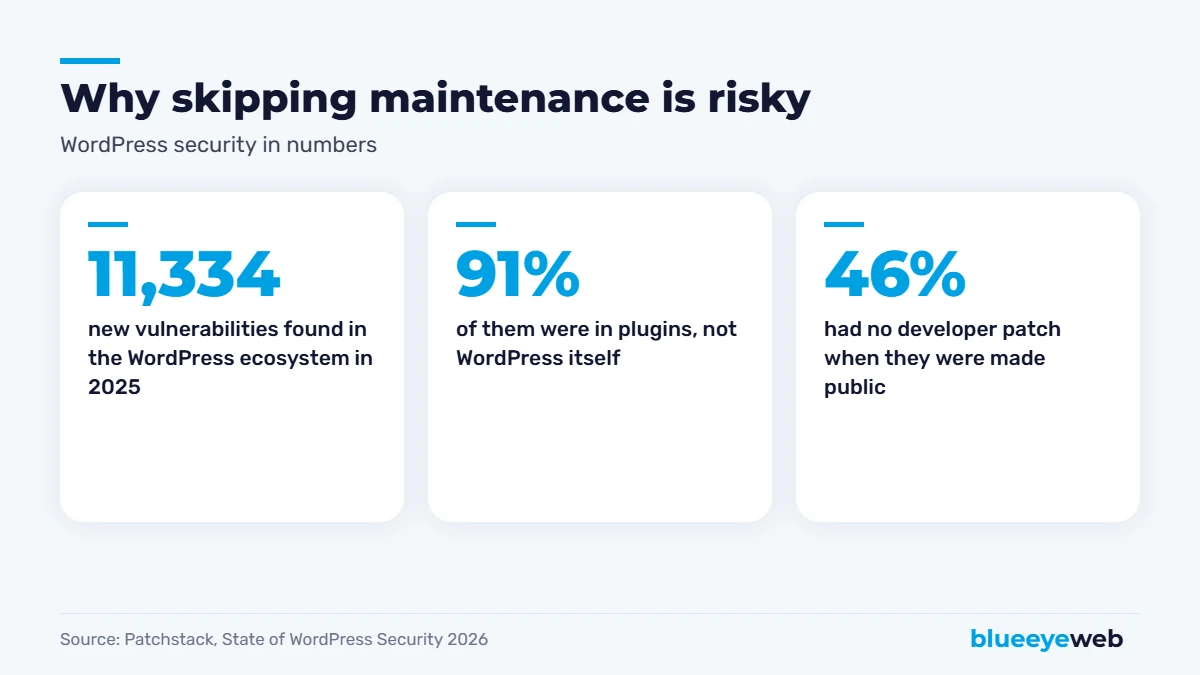
If your site runs on WordPress (like about 40% of the web), updates matter more every year. Patchstack’s State of WordPress Security in 2026 counted 11,334 new vulnerabilities in the WordPress ecosystem in 2025, up 42% from the year before. 91% were in plugins, and 46% had no developer patch at the time they were made public. Patchstack also reported that attackers can start exploiting new vulnerabilities at scale within hours.
That’s not a reason to avoid WordPress. WordPress core itself had very few issues. It’s a reason to use fewer, well-maintained plugins, keep everything updated, run daily backups and have a firewall. That’s exactly what a good care plan does.
Speed is the other quiet problem. The HTTP Archive’s 2025 Web Almanac found only 48% of mobile websites pass Google’s Core Web Vitals. Sites get slower over time as plugins, images and scripts pile up, and a slow site loses both rankings and visitors. A quick speed check every month keeps you in the faster half. If yours is already slow, our speed optimization service can fix it.
What Happens If You Skip Maintenance?
- Security holes stay open. Outdated plugins are the most common way small business sites get hacked.
- Forms quietly break. You stop getting leads and don’t notice for weeks.
- Your site slows down, which hurts rankings and conversions.
- Google flags hacked sites, showing warnings that scare visitors away.
- Fixing it costs more than preventing it ever would have.
The real cost isn’t the cleanup bill. It’s the leads you lose while your site is down, slow or showing a security warning, and the trust you have to win back afterwards.
DIY Website Maintenance: What You Can Do Yourself
If you’re comfortable with WordPress and have an hour a month, you can handle the basics yourself and keep your website maintenance cost close to just hosting:
- Turn on automatic backups with your host or a backup plugin, and store copies off the server.
- Update plugins and themes every week or two, after making a backup.
- Delete plugins you don’t use. Fewer plugins means fewer things to break or get hacked.
- Use strong passwords and two-factor login for every admin account.
- Test your contact form once a month by sending yourself a message.
- Check Google Search Console for errors and security issues.
The catch is consistency. Most DIY maintenance fails not because it’s hard, but because life gets busy and three months go by.
Website Maintenance Cost vs the Cost of Doing Nothing
Here’s a simple way to think about it. Say your website brings in 10 leads a month and you close three of them, at an average job of $800. That’s $2,400 a month coming through the site.
If the contact form quietly breaks for three weeks, or the site is down after a hack, you could lose most of a month’s leads, roughly $1,800 in this example, plus whatever a cleanup costs. Compare that to a website maintenance cost of $75 to $150 a month, and the math gets easy. Maintenance isn’t an expense on top of your marketing; it’s insurance for it.
Who Should Maintain Your Website? Your Options Compared
| Option | Typical website maintenance cost | Good for | Watch out for |
|---|---|---|---|
| You | Hosting only, plus your time | Tech-comfortable owners with simple sites | Updates slipping when you get busy |
| An employee | Part of a salary | Larger teams with an in-house marketer | Knowledge leaving when they do |
| A freelancer | Hourly or a small retainer | Occasional edits and fixes | Availability during emergencies |
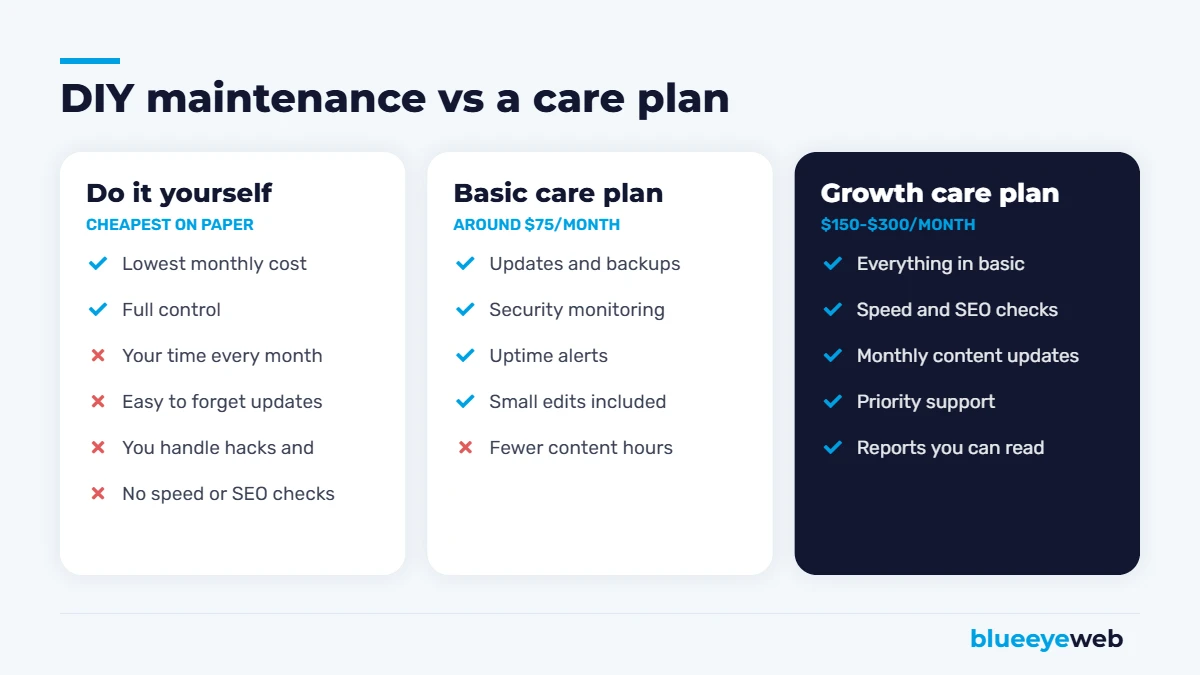
| An agency care plan | About $75 to $300/month | Businesses that rely on their site for leads | Make sure you can leave and keep your site |
7 Ways to Lower Your Website Maintenance Cost
- Use fewer plugins. Every plugin you remove is one less thing to update, license or break.
- Choose well-supported tools. Popular, actively maintained plugins and themes get security fixes faster.
- Pay for decent hosting. Cheap hosting often costs more in slowdowns, downtime and cleanup.
- Bundle services. A care plan that includes hosting, updates, backups and small edits is usually cheaper than paying for each separately.
- Batch your edits. Send a list of changes once a month instead of one-off requests.
- Keep the design simple. Fewer custom moving parts means fewer things to maintain.
- Fix problems early. A small fix today is always cheaper than a big rescue later.
Do these, and your website maintenance cost stays predictable instead of spiking every time something goes wrong.
How Often Should Website Maintenance Happen?
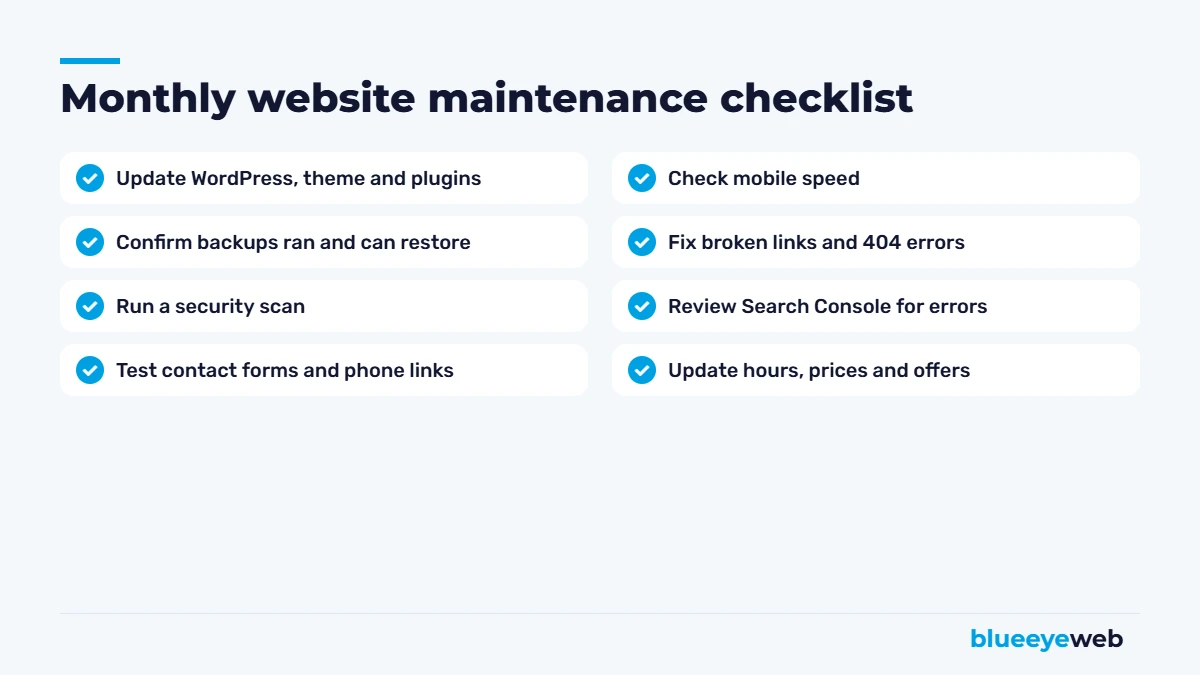
A simple rhythm works for most small businesses: security monitoring and backups every day, plugin and theme updates every week or two, a speed and form check every month, and a bigger review of content, SEO and design once or twice a year. Online stores and busy sites need tighter checks, especially around checkout and payments. Spreading the work out like this keeps each task small and keeps your website maintenance cost steady, rather than letting problems pile up into one big, expensive fix.
When a Website Care Plan Makes Sense
A care plan is worth it when your website brings in real business, when you’d rather spend your time running the company, or when a single day of downtime would cost more than a year of maintenance. That’s most small businesses with an active website.
At BlueEyeWeb, our website care plans line up with our website packages: about $75 a month for a small site, $150 a month for a growing site with a blog, and $300 a month for larger sites and online stores. Every plan includes updates, backups, security monitoring and real support from people, not a ticket queue that goes nowhere.
How to Choose a Website Maintenance Plan
When you compare plans, ask these questions:
- How often are updates and backups done? Weekly updates and daily backups are a good baseline.
- Where are backups stored, and have restores been tested? A backup you can’t restore is useless.
- What happens if the site gets hacked? Is cleanup included?
- How many hours of edits are included each month?
- Do you get a monthly report showing what was done?
- Can you leave anytime and keep your site? You should.
Website Maintenance for Online Stores
E-commerce sites need more care, and their website maintenance cost reflects it. You’re handling payments and customer data, running more plugins, and losing money every minute checkout doesn’t work. For WooCommerce stores, we add checkout testing, order and payment monitoring, and extra security on top of the regular plan. If you’re planning a store, our e-commerce websites page explains how we build them to be easier to maintain.
Red Flags in Cheap Maintenance Plans
- “Unlimited” everything for $20 a month
- No mention of backups or how they’re stored
- Automatic updates with no testing and no rollback plan
- No human you can actually talk to
- Contracts that make it hard to leave or get your files
The Bottom Line on Website Maintenance Cost
For most small businesses, a realistic website maintenance cost is somewhere between $75 and $300 a month, depending on the size of the site and how much help you want. That’s a small fraction of what most businesses spend on a single month of ads, and it protects the asset all your other marketing points to.
If you’re still planning a new site, factor maintenance into the total. Our guide on how much a website costs in 2026 covers the full picture, and WordPress vs Wix vs Squarespace explains how maintenance differs by platform.
Is your website being looked after?
We’ll check your updates, backups, security and speed, and tell you honestly whether you need a care plan or just a few fixes.
Frequently Asked Questions
For most small businesses, website maintenance costs about $75 to $300 a month, depending on the size of the site and what is included. A simple site can cost less, and online stores or custom sites usually cost more.
Website maintenance usually includes hosting, software and plugin updates, backups, security monitoring, uptime monitoring, speed checks, small content edits and support.
A WordPress site can cost as little as $50 to $175 a year for a domain and basic hosting if you do the maintenance yourself. Managed hosting and a care plan with updates, backups and security usually cost $75 to $300 a month.
Yes, if you are comfortable with your platform and can spend an hour or two a month. Turn on backups, update plugins regularly, remove unused plugins, use strong passwords and test your forms.
They handle technical maintenance like hosting, updates and security for you. You still need to keep your content, hours, prices and photos up to date.
Outdated software can lead to security issues and hacks, forms can stop working, pages slow down, and Google may show warnings on hacked sites. Fixing these problems usually costs more than preventing them.