Running ads for every sale gets expensive fast. Ecommerce SEO is how online stores build a steady stream of buyers who find them on Google for free, month after month, without paying for every click.
But ecommerce sites are trickier than regular websites. You might have hundreds of products, filters that create thousands of URLs, manufacturer descriptions copied across the web and products that come and go. In this guide, we’ll show you how to handle all of it, step by step, whether you sell on WooCommerce, Shopify or another platform.
The short version
- Ecommerce SEO is optimizing your store’s categories, products and technical setup so shoppers find you in Google, Shopping results and AI answers.
- Category pages are usually your biggest ranking opportunity, not individual products.
- Unique product descriptions, product schema and fast pages separate stores that rank from stores that don’t.
- Free listings through Google Merchant Center put your products in Shopping results at no cost.
What Is Ecommerce SEO?
Ecommerce SEO is the process of making an online store more visible in organic search results. It covers keyword research, site structure, category and product page optimization, technical fixes, structured data, content and links. Google even publishes a dedicated set of ecommerce SEO best practices because online stores face problems most websites don’t.
The goal isn’t just traffic. It’s traffic from people ready to buy. Someone searching “women’s waterproof hiking boots size 8” is much closer to checkout than someone searching “hiking tips,” and ecommerce SEO is about winning those buying searches.
Why SEO Matters for Online Stores
Paid ads stop the moment you stop paying. Organic rankings keep working. For most established stores, organic search is one of the largest sources of revenue, and it gets cheaper per sale over time because you’re not paying for each visitor. SEO also supports your ads: strong product pages improve ad quality, and shoppers who see you in both paid and organic results trust you more.
There’s a newer reason too. AI shopping assistants like ChatGPT and Google’s AI Mode increasingly recommend products. They pull from the same signals SEO builds: clear product data, reviews, structured information and trusted mentions. If you want to understand how that works, see our guide on showing up in ChatGPT and AI search.
Step 1: Ecommerce Keyword Research
Start with how your customers actually search. For online stores, keywords fall into three groups:
- Category keywords: broader searches like “drug test cups” or “men’s running shoes.” Higher volume, map these to category pages.
- Product keywords: specific searches with brands, models, sizes or features. Lower volume but very high intent, map these to product pages.
- Informational keywords: questions like “how to choose running shoes.” Map these to blog posts and buying guides that link to your categories.
Good places to find them: Google’s autocomplete, the “People also ask” box, Amazon’s search suggestions, competitors’ category names, Google Search Console for queries you already get impressions on, and your own site search data. Every category and important product should have one primary keyword it owns.
Step 2: Build a Clean Site Structure
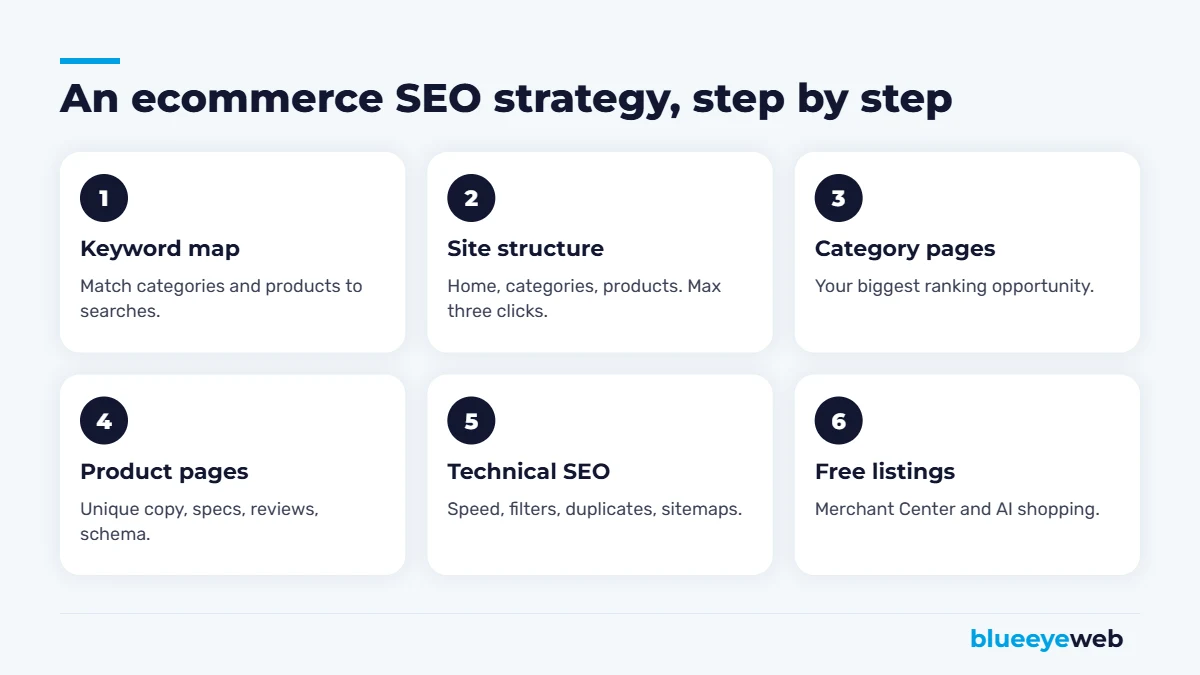
A simple structure helps shoppers and search engines. The classic pattern is homepage, then categories, then subcategories, then products. Any product should be reachable in three clicks or fewer from the homepage.
Use clear, short URLs (like /drug-test-cups/12-panel/), add breadcrumb navigation on every page, and link related categories to each other. Avoid creating dozens of nearly identical categories that split your products and your rankings.
Step 3: Optimize Category Pages (Your Biggest Opportunity)
Many stores focus on product pages and forget categories. That’s a mistake. Category pages target broader, higher-volume keywords, collect internal links from across the site and stay live even when individual products sell out.
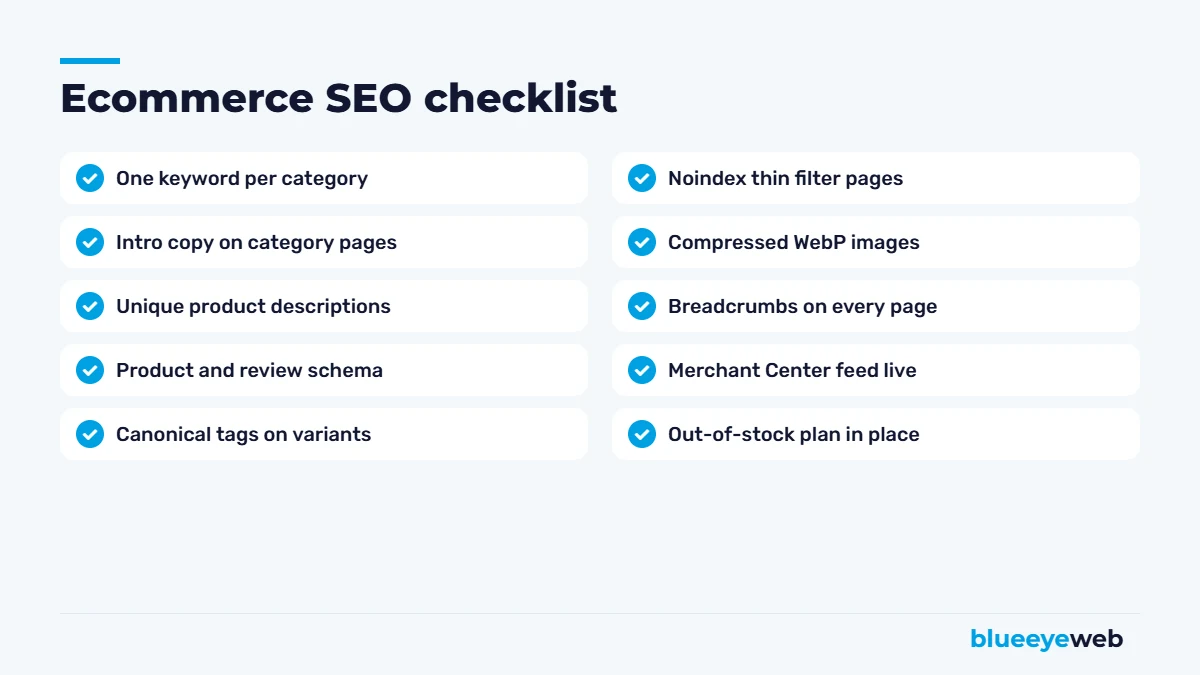
A strong category page has a keyword-focused H1 and title tag, a short intro of a few sentences above the products that explains what’s in the category and who it’s for, helpful filters, and a longer section below the products with buying advice and answers to common questions. That below-the-grid content is often what tips a category page onto page one.
Step 4: Optimize Product Pages
Write unique product descriptions
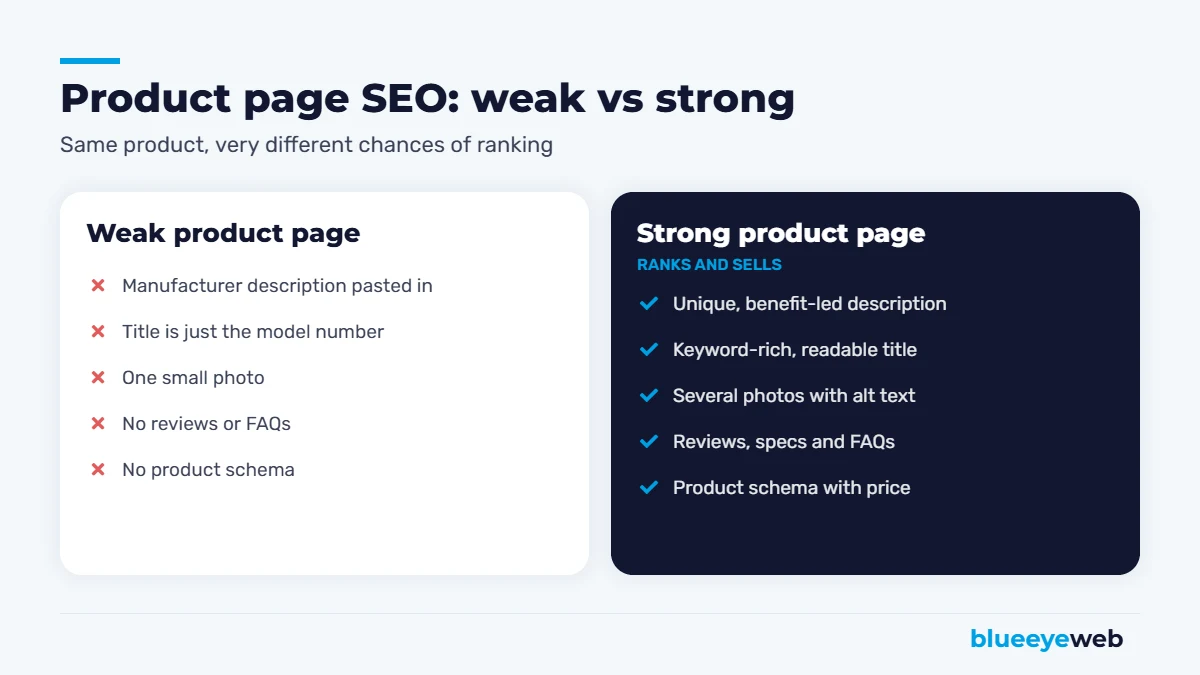
If you paste the manufacturer’s description, you’re publishing the same text as every other store selling that product. Google has no reason to rank yours. Write your own: lead with benefits, explain who it’s for, include specs in a scannable list and answer the questions your customer service team hears most.
Use clear product titles
Combine the product type, brand, key feature and variant in a way people actually search: “12-Panel Drug Test Cup with Adulterants, CLIA Waived, Box of 25” beats “Model DTC-12A.”
Add great images with alt text
Use several photos from different angles, compressed to WebP, with descriptive file names and alt text. Images help conversions and give you a chance to appear in Google Images.
Show reviews and FAQs
Customer reviews add fresh, unique content and build trust. A short FAQ on each product page answers objections before they become abandoned carts, and it gives AI tools clear facts to quote.
Add product schema
Product structured data tells Google your price, availability, ratings and shipping details. It can unlock rich results with stars and prices in search, which stand out and get more clicks. Most WooCommerce and Shopify SEO plugins add basic product schema; check it with Google’s Rich Results Test and fill any gaps.
Step 5: Fix Ecommerce Technical SEO
This is where online stores get into trouble. The most common issues we fix:
Faceted navigation and filters
Filters for size, color, price and brand can create thousands of URL combinations. Most of them shouldn’t be indexed. Decide which filtered pages have real search demand (like “black leather boots”) and make those proper landing pages. Keep the rest out of the index with canonical tags or noindex.
Product variants and duplicates
A shirt in six colors shouldn’t be six competing pages. Usually one product page with variant options, or variant pages that canonicalize to the main product, works best.
Out-of-stock and discontinued products
Temporarily out of stock? Keep the page live, mark it unavailable in schema and offer alternatives or a back-in-stock alert. Permanently discontinued? 301 redirect it to the closest replacement or category, especially if it has links or traffic.
Speed
Store pages are heavy: big images, scripts, apps and tracking. And speed affects revenue directly. In Deloitte’s Milliseconds Make Millions study, a 0.1-second mobile speed improvement increased retail conversions by 8.4% and average order value by 9.2%. Our speed optimization work for online stores focuses on images, caching, scripts and hosting.
Step 6: Get Free Product Listings in Google Shopping
Many store owners don’t know this: Google shows products in Shopping results and the Shopping tab for free, not only as paid ads. Connect your store to Google Merchant Center, submit a product feed with accurate titles, prices, images and availability, and your products can appear in free listings. WooCommerce and Shopify both have official integrations that keep the feed in sync.
Step 7: Content and Links for Online Stores
Blog posts and buying guides capture shoppers earlier in their research and pass authority to your categories through internal links. Think “how to choose,” “X vs Y,” “best X for Y” and “how to use” topics tied directly to what you sell.
Use buying guides to support categories
A practical approach that works well: for every major category, publish one in-depth buying guide that answers the questions shoppers ask before choosing. Link from the guide to the category and to your top products, and link back from the category to the guide. You capture researchers early, and you build a tight topic cluster Google can understand.
For links, the best sources for stores are suppliers and manufacturers (many have “where to buy” pages), industry associations, product reviews from bloggers and creators, local press and helpful resources other sites want to reference. Avoid buying links. It’s against Google’s rules and rarely worth the risk.
Ecommerce SEO for WooCommerce vs Shopify
Both platforms can rank well. WooCommerce gives you full control over URLs, schema, content layout and speed tuning, which is great for SEO-heavy strategies but needs more upkeep. Shopify is simpler to manage but has fixed URL patterns (like /products/ and /collections/) and depends more on apps. We build and manage stores on both through our ecommerce website service.
Real example: we manage SEO and operations for DrugTestingCup.com, a WooCommerce store with a large catalog of drug testing products. Rewriting product and category content around real buyer searches, fixing technical issues and adding structured data has been central to growing its organic visibility. You can see more in our portfolio.
7 Common Ecommerce SEO Mistakes
Most of the online stores we audit lose rankings to the same handful of problems. If you recognize your store in a few of these, you’re not alone, and they’re all fixable.
- Empty category pages. A grid of products with no text gives Google little to understand. Add a short intro and a helpful buying section.
- Copied descriptions. Manufacturer text across hundreds of products makes your whole catalog look like everyone else’s.
- Indexing every filter. Thousands of near-identical filtered URLs waste crawl budget and dilute rankings.
- Deleting old products without redirects. Every deleted page with links or traffic throws away ranking power.
- Slow mobile pages. Oversized images and too many apps or plugins hurt both rankings and conversion rates.
- Duplicate titles. “Shop | Store Name” on every page tells Google nothing. Each title should be unique and descriptive.
- No tracking. Without ecommerce tracking in Google Analytics 4, you can’t tell which pages and keywords actually make money.
How to Measure Ecommerce SEO Results
Rankings are a useful signal, but revenue is the real scoreboard. Set up GA4 ecommerce tracking so you can see organic sessions, conversion rate, revenue and average order value from organic search. In Google Search Console, watch impressions and clicks for your category and product pages, and keep an eye on the queries where you rank on page two. Those are your next wins.
Review the numbers monthly, but judge strategy quarterly. SEO moves in steps, not straight lines, and a single slow month rarely means something is wrong. A steady upward trend in organic revenue over two or three quarters does.
How Long Does Ecommerce SEO Take?
Technical fixes and better titles can show results within weeks. Category and content improvements usually take three to six months to build momentum, and competitive niches can take longer. The stores that win treat SEO as part of operations: every new product launches with unique copy, every discontinued product gets redirected, every season brings fresh content.
If you’re planning a new store or a rebuild, start with SEO in mind. It’s much cheaper than fixing a store later. Our ecommerce website builds and product listing services include keyword-mapped categories, optimized product templates and clean technical foundations from day one.
Want more organic sales from your online store?
We’ll audit your categories, product pages and technical setup, then show you which fixes will bring the most revenue first.
Frequently Asked Questions
Ecommerce SEO is optimizing an online store so its categories and products rank in Google and other search engines. It covers keyword research, site structure, product and category pages, technical fixes, structured data, content and links.
Usually category pages. They target broader, higher-volume keywords and stay live when individual products sell out. Then optimize your best-selling and highest-margin product pages.
You can, but they make it hard to rank because many other stores use the same text. Writing unique descriptions with benefits, specs and FAQs gives Google a reason to rank your page.
Keep temporarily out-of-stock pages live and mark them unavailable. For permanently discontinued products, 301 redirect the page to the closest replacement or category.
Create a Google Merchant Center account, connect your store and submit a product feed. Approved products can appear in free listings across Google Shopping and search results.
Both can rank well. WooCommerce offers more control over URLs, content and technical settings. Shopify is easier to manage but has fixed URL structures and relies more on apps.