If you’ve got a marketing budget and you’re trying to decide where to spend it, the Google Ads vs Facebook Ads question comes up fast. Both promise customers. Both will happily take your money. And depending on who you ask, one is “the only thing that works” and the other is “a waste.”
The truth is simpler: they do different jobs. Google Ads catches people who are already searching for what you sell. Facebook and Instagram ads put your business in front of people who weren’t looking yet. In this guide we compare real 2026 costs, explain when each one wins, and share how we’d split a starting budget for a local business in Boynton Beach or anywhere else.
The quick answer
- Choose Google Ads first if people search for your service when they need it, like plumbers, lawyers, dentists or roofers.
- Choose Facebook Ads first if you sell something people don’t search for, have a visual offer, or want local awareness cheaply.
- Use both once you’re tracking leads properly. Google catches demand; Facebook creates it.
Google Ads vs Facebook Ads: The Core Difference
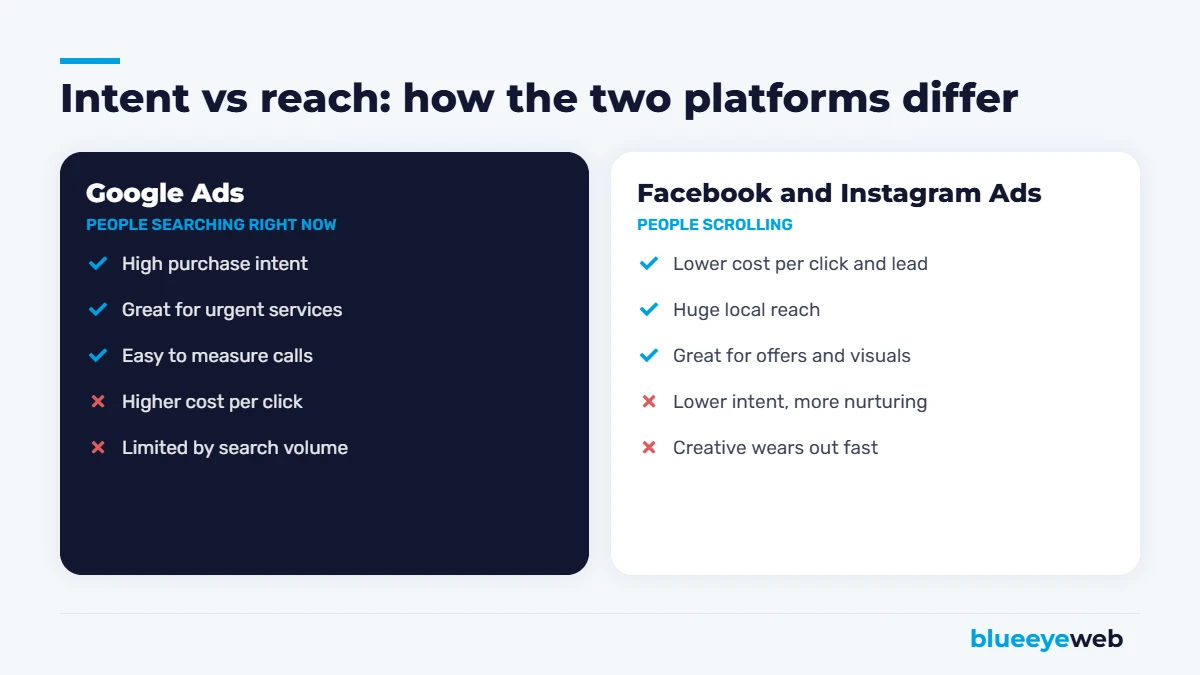
Think of it as intent vs reach.
On Google, someone types “AC repair Boynton Beach” because their AC just died. They want help now. Your ad shows up at exactly the right moment, which is why clicks cost more and convert well.
On Facebook and Instagram, nobody is searching. People are scrolling. Your ad interrupts them with something interesting: a before-and-after photo, a seasonal offer, a new menu item. Clicks are much cheaper, but people are earlier in their buying journey, so you often need to warm them up.
Neither is better in general. The question is which one fits how your customers buy.
Google Ads vs Facebook Ads: 2026 Costs Compared
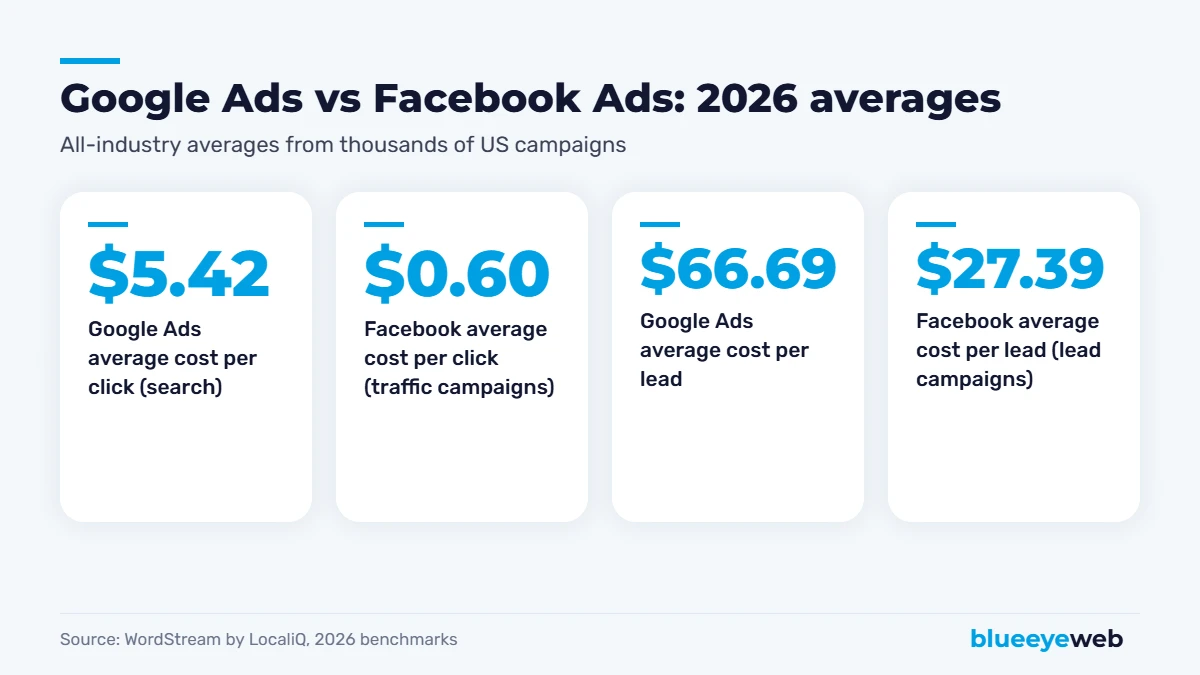
Here are the latest all-industry averages from WordStream by LocaliQ, one of the most-cited benchmark reports in the industry:
| Metric | Google Ads (search) | Facebook Ads |
|---|---|---|
| Average cost per click | $5.42 | $0.60 (traffic campaigns) |
| Average click-through rate | 6.64% | About 1.9% (traffic campaigns) |
| Average conversion rate | 8.18% | About 8.5% (lead campaigns) |
| Average cost per lead | $66.69 | $27.39 (lead campaigns) |
The Google figures come from WordStream’s 2026 Google Ads benchmarks, based on more than 13,000 US search campaigns from April 2025 to March 2026. Notably, the average cost per lead on Google dropped for the first time in five years, even as cost per click kept rising. The Facebook figures come from WordStream’s 2026 Facebook ads benchmarks, which Search Engine Land reported showed cheaper clicks and roughly flat lead costs.
Don’t compare cost per lead alone. A $27 Facebook lead and a $67 Google lead aren’t the same thing. Someone who searched “emergency plumber” is usually much closer to buying than someone who filled out a form after scrolling past an ad. What matters is cost per paying customer.
Costs also vary hugely by industry. Legal and home services clicks on Google can cost far more than the average, while restaurant leads on Facebook can be very cheap. Treat these numbers as a starting point, not a promise.
When Google Ads Wins
- Urgent services: plumbing, HVAC, towing, locksmiths, emergency dental. People search when they need you.
- High-value services: roofing, legal, medical, remodeling. A single customer covers a lot of clicks.
- Clear search demand: if people type your service into Google, you want to be there.
- Calls matter most: call ads and call tracking make Google easy to measure.
Our Google Ads management focuses on exactly these situations: tight keyword targeting, negative keywords to stop wasted spend, proper call and form tracking, and landing pages built to convert paid clicks.
When Facebook Ads Win
- Visual products and experiences: restaurants, boutiques, salons, events, real estate.
- Offers and promotions: seasonal specials, grand openings, limited-time deals.
- Things people don’t search for: new products, new concepts, impulse buys.
- Retargeting: reminding website visitors who didn’t call or buy the first time.
- Local awareness: reaching everyone within a few miles of your business at a low cost.
Our Facebook and Instagram ads service handles audiences, creative testing and retargeting so you don’t burn budget on the wrong people.
Google Ads vs Facebook Ads by Industry
| Business type | Start with | Why |
|---|---|---|
| Plumbers, HVAC, roofers, electricians | Google Ads | Urgent, high-intent searches |
| Lawyers, dentists, medical practices | Google Ads | People search when they need help |
| Restaurants and cafes | Facebook and Instagram | Visual, impulse-driven, local reach |
| Salons, spas, fitness studios | Facebook and Instagram, then Google | Visual offers, plus “near me” searches |
| E-commerce stores | Both | Google Shopping for intent, Meta for discovery |
| B2B services | Google Ads first | Buyers search for solutions |
Google Ads vs Facebook Ads: Two Local Examples
An HVAC company in Boynton Beach
It’s July, it’s 94 degrees, and someone’s AC just quit. They grab their phone and search “AC repair near me.” This is Google Ads territory. The click might cost several dollars, but the person needs help today and calls within minutes. For this business, we’d put most of the budget on Google Search with call tracking, plus a small Facebook retargeting campaign reminding past visitors about a maintenance special before summer.
A new restaurant in Delray Beach
Nobody is searching for a restaurant they’ve never heard of. But show people within five miles a great photo of your signature dish and a “first visit” offer, and you’ll fill tables. Here, Facebook and Instagram do the heavy lifting, while a small Google budget covers searches like “brunch Delray Beach” and the restaurant’s own name.
Same city area, opposite answers to the Google Ads vs Facebook Ads question. That’s why there’s no one-size-fits-all rule.
How to Measure Google Ads vs Facebook Ads Fairly
Comparing platforms by cost per click is like comparing restaurants by the price of bread. Here’s a fairer way:
- Track every lead by source: calls, forms, bookings and messages, tagged by platform.
- Follow leads to sales: note which leads actually became paying customers.
- Calculate cost per customer: ad spend divided by new customers, per platform.
- Look at customer value: some platforms bring bigger jobs or more repeat buyers.
- Remember the assist: many people see a Facebook ad, then search your name on Google later. Look at branded search growth too.
Done this way, the Google Ads vs Facebook Ads debate usually settles itself within a couple of months, with real numbers from your own business instead of industry averages.
Other Ad Options Worth Knowing
- Google Local Services Ads: the “Google Guaranteed” or “Google Screened” ads at the very top of many local searches. You pay per lead, not per click, and they work well for many home services and some professional services.
- Microsoft Ads: search ads on Bing, often cheaper per click, with an older and sometimes wealthier audience.
- Instagram: part of Meta’s platform, great for visual businesses and younger audiences.
- Google Performance Max and Shopping: strong for e-commerce stores with product feeds.
Google Ads vs Facebook Ads: Pros and Cons at a Glance
| Google Ads | Facebook Ads | |
|---|---|---|
| Best at | Catching people ready to buy | Creating demand and awareness |
| Cost per click | Higher | Lower |
| Lead quality | Usually higher intent | Varies, often needs nurturing |
| Creative needed | Mostly text | Images and video, refreshed often |
| Speed to results | Fast | Fast, but needs testing |
| Best for | Urgent and high-value services | Visual, local and offer-driven businesses |
How to Split Your Budget
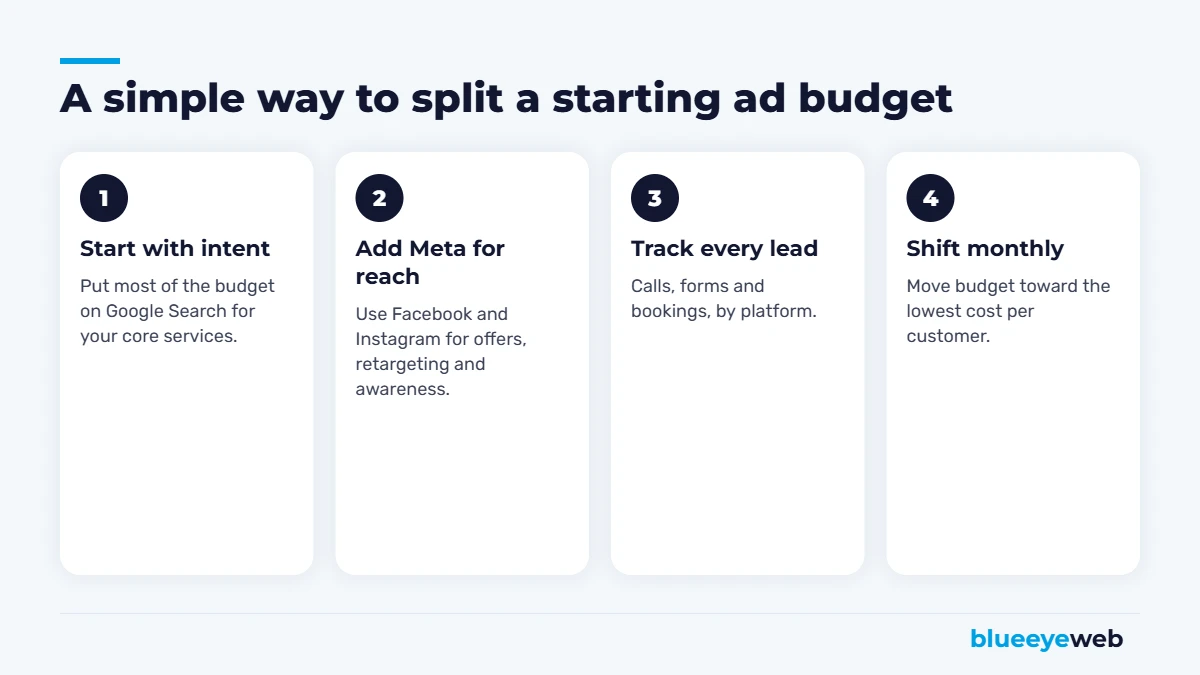
For most local service businesses, we’d start with the majority of the budget on Google Search for your core services and a smaller share on Facebook and Instagram for retargeting and offers. After 60 to 90 days of clean data, move money toward whichever platform brings paying customers at the lowest cost.
For visual or impulse businesses like restaurants and boutiques, flip it: lead with Facebook and Instagram, and add Google for searches like “brunch near me” or your brand name.
What Your Ad Landing Page Needs
Whichever side of Google Ads vs Facebook Ads you choose, the page people land on decides whether you get a lead or just pay for a visit. A good ad landing page has:
- A headline that matches the ad, so people know they’re in the right place.
- One clear action: call, book or request a quote. Not five competing buttons.
- A tap-to-call button at the top for mobile visitors.
- Proof: reviews, photos of real work, licenses and guarantees.
- Fast loading on phones. Every second of delay costs leads you already paid for.
- A short form that asks only for what you really need.
Sending paid traffic to a slow homepage is one of the most expensive mistakes we see. A focused landing page often improves results more than any change to the ads themselves.
Mistakes That Waste Ad Budget on Both Platforms
- No conversion tracking. If you can’t see which ads bring calls and forms, you’re guessing. Set up tracking before you spend a dollar.
- Sending traffic to your homepage. Paid clicks should land on a focused page that matches the ad.
- Broad targeting with no exclusions. On Google, negative keywords stop clicks from people looking for jobs, DIY tips or free stuff.
- Stale creative on Facebook. The same image for six months stops working. Refresh regularly.
- Judging too early. Give campaigns a few weeks to learn before making big changes.
- Slow follow-up. Paying for a lead and calling back the next day wastes the money. AI lead follow-up replies in seconds.
Don’t Forget the Free Channels
Ads work best on top of a strong foundation. A complete Google Business Profile, steady reviews and good SEO lower your cost per customer across the board, because people who see your ad also check your reviews and website before they call. If you’re weighing paid vs organic more broadly, read is SEO worth it?. The best long-term setup for most small businesses uses ads for immediate leads while SEO builds an asset that doesn’t charge per click.
So, Google Ads vs Facebook Ads: Which Should You Pick?
If customers search for what you do, start with Google Ads. If they don’t, or your business is visual and offer-driven, start with Facebook and Instagram. Either way, track every lead, follow up fast, and let the data decide where the next dollar goes. That’s the honest answer to the Google Ads vs Facebook Ads question, and it’s how we run campaigns through our digital marketing service.
Want a second opinion on your ad spend?
We’ll review your current campaigns (or your plan) and show you where the budget should go first, and what’s being wasted.
Frequently Asked Questions
It depends on how customers buy. Google Ads is usually better for services people search for when they need them, like plumbing, legal or dental. Facebook Ads are often better for visual products, offers and things people do not search for. Many businesses use both.
Facebook Ads are usually cheaper per click and per lead. WordStream’s 2026 benchmarks put the average Google Ads cost per lead at $66.69 and the average Facebook lead campaign cost per lead at $27.39. Google leads often have higher intent, so compare cost per paying customer.
WordStream’s 2026 benchmarks put the average Google Ads search cost per click at $5.42 across industries, with big differences by industry and location.
WordStream’s 2026 data puts the average Facebook cost per click for traffic campaigns at about $0.60 and the average cost per lead for lead campaigns at about $27.39. Costs vary by industry, audience and creative.
Often, yes. Google captures people already searching, while Facebook and Instagram build awareness and retarget visitors who did not convert. Start with the platform that fits your customers, then add the other once tracking is in place.
Start with a test budget you can afford for at least 60 to 90 days, enough to get meaningful data. Track calls, forms and bookings by platform, then shift budget toward the one that brings paying customers at the lowest cost.
Sources
- WordStream by LocaliQ: 2026 Google Ads benchmarks
- WordStream by LocaliQ: Facebook Ads Benchmarks 2026
- Search Engine Land: Facebook ad costs fall as traffic and lead performance improves